
Photo By
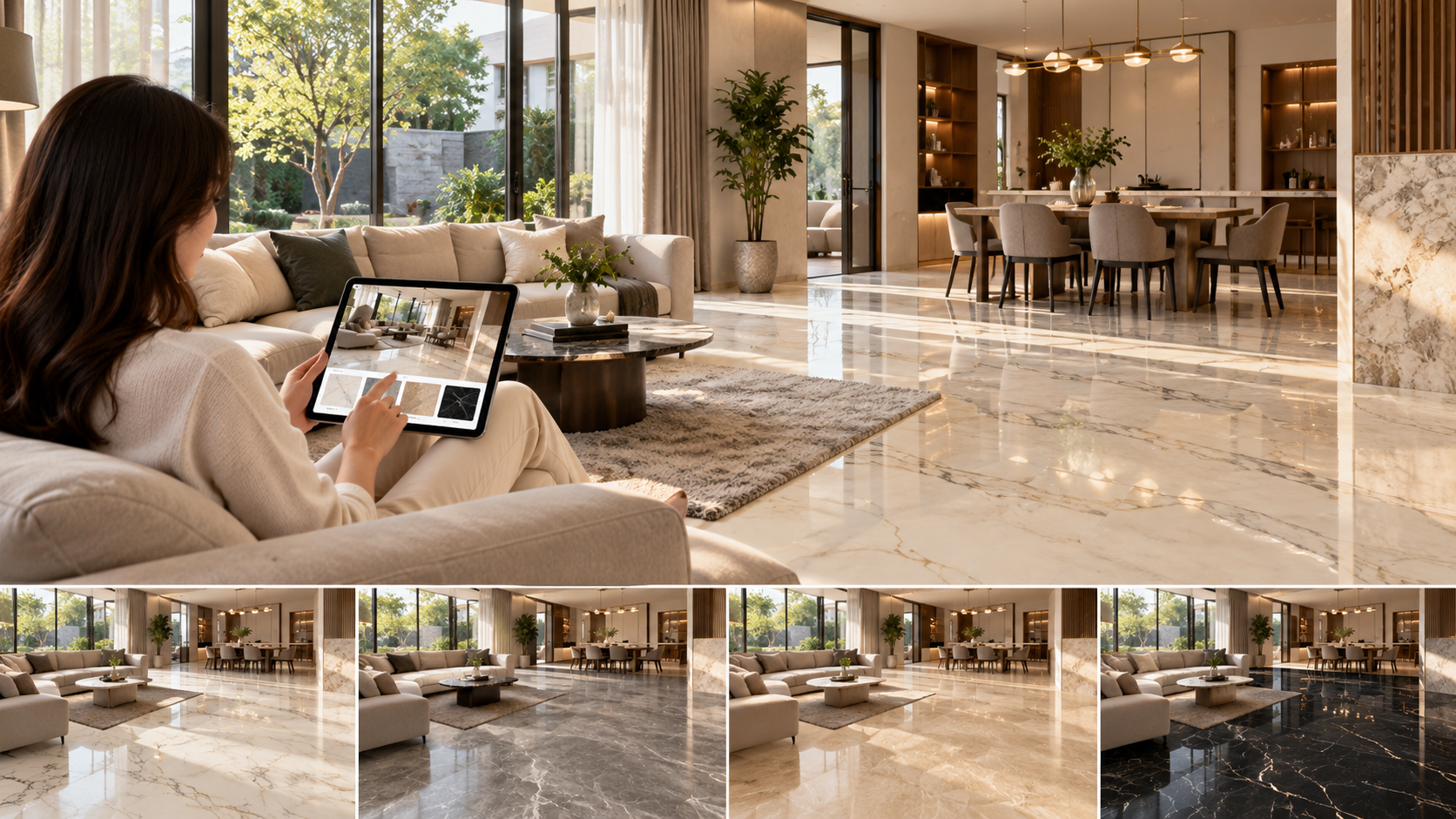
Have you found several attractive granite patterns but still find it difficult to imagine how they will look in your room? Before making a final choice, a home flooring simulation can help provide a clearer visual reference.
Through the MAGIA Visualizer, you can explore granite applications digitally before moving on to product selection. This makes it easier to compare colors and patterns, especially when several options look equally appealing.
Why Is a Home Flooring Simulation Important Before Buying Granite?
Helps You Visualize Pattern Proportions in a Room
Looking at a single granite tile may not be enough to imagine how it will appear when installed across a larger area. A simulation helps show how the pattern may repeat throughout the room.
Makes It Easier to Compare Light and Dark Colors
Different granite colors can create different visual impressions. Lighter colors tend to make a space feel visually lighter, while darker tones can strengthen the room’s character. A simulation allows you to compare both before deciding.
Helps Evaluate How the Flooring Works with Furniture and Walls
Flooring is a major part of the overall interior composition. Its color should therefore work harmoniously with cabinets, sofas, walls, and other decorative elements.
What Can You Evaluate Through a Flooring Simulation?
Pattern Scale and Intensity
Granite with bold veining may look very different from a more subtle pattern when applied across a larger area. A simulation can help you assess how dominant the pattern may appear in the room.
The Overall Impression Created by Different Colors
Try comparing several colors to see what type of atmosphere they create. White and cream can support brighter concepts, while grey or darker shades may suit interiors with a bolder, more contemporary character.
Compatibility with the Interior Style
Minimalist, modern luxury, natural, and classic interiors may require different granite characteristics. Visualization can help narrow down the options based on the style you want to achieve.
How the Flooring Works with Other Interior Elements
Do not focus only on the granite. Also consider how the flooring works with wall colors, furniture, and decorative elements so the room feels visually balanced.
Get to Know the MAGIA Visualizer for Previewing Granite
Open the MAGIA Visualizer Page
Start by accessing the MAGIA Granite Visualizer through the official website.
Explore Granite Options You Want to Try
Compare several patterns that suit your interior concept. If you are still looking for inspiration, explore the MAGIA Granite collection first.
Apply the Pattern to a Room Simulation
Use the Visualizer to get an idea of how your selected pattern may look when applied to a room. This step is useful for understanding the pattern at a larger scale rather than viewing only a product sample.
Compare Several Options Before Deciding
Do not focus on just one choice. Try lighter, darker, subtle, and more expressive patterns. Comparing several alternatives can help you identify the design that best fits your room concept.
Tips for Using Visualization Results as a Reference
Compare Them with the Room’s Lighting Conditions
Natural and artificial lighting can affect how colors are perceived. A room with plenty of sunlight may show granite differently from a more enclosed or dimly lit space.
Consider the Size of the Installation Area
The larger the floor area, the more of the overall pattern will be visible. Keep the scale of the room in mind when evaluating the simulation.
Save the Selected Product Name and Code
Once you have shortlisted several options, save the product names or codes. This will make it easier to search for product information or check availability at a store.
View a Physical Sample Before Buying If Possible
The Visualizer is a useful visual reference during the selection process. However, seeing the actual product is still helpful before making a final decision, especially for evaluating its color, pattern, and surface characteristics in real-life conditions.
After Finding a Pattern, Continue to the MAGIA Store Locator
Found a favorite pattern through the simulation? The next step is to find a purchase location through the MAGIA Store Locator.
Find an available store location, then contact the store beforehand to ask about the availability of the product you have shortlisted. After that, you can view the physical sample and consider your final choice before purchasing.
To help plan your flooring needs, you can also use the MAGIA Tile Calculator to estimate the amount of granite required based on the installation area.
FAQ
What is the purpose of a home flooring simulation?
A flooring simulation provides an initial visual reference for how granite colors and patterns may look when applied to a room concept.
Can the MAGIA Visualizer be used before visiting a store?
Yes. The Visualizer can be used as an initial step to explore and compare options before looking for a purchase location.
Will the Visualizer look exactly the same as the actual granite?
Not necessarily. The Visualizer should be used as a visual reference because colors displayed on a screen may be affected by the device and lighting conditions. Viewing a physical sample is still recommended before making a final decision.
What should I do after finding a suitable pattern?
Save the product name or code, then use the MAGIA Store Locator to find a purchase location and confirm product availability before visiting.
Popular Collections






Related Articles

Tips
10 Cool Paint Colors for a Serene Home"
11 Sep 2024
Tips
Granite or Ceramic Flooring? Which One Lasts Longer?
06 May 2026

Tips
Confused About Which Granite to Choose? Check the MAGIA Granite Catalog Here
26 Jul 2026