
Photo By
Finding the right granite for a home or project often requires several considerations, from pattern and size to product availability. However, visiting a store without knowing whether the product is available can make the buying process less efficient.
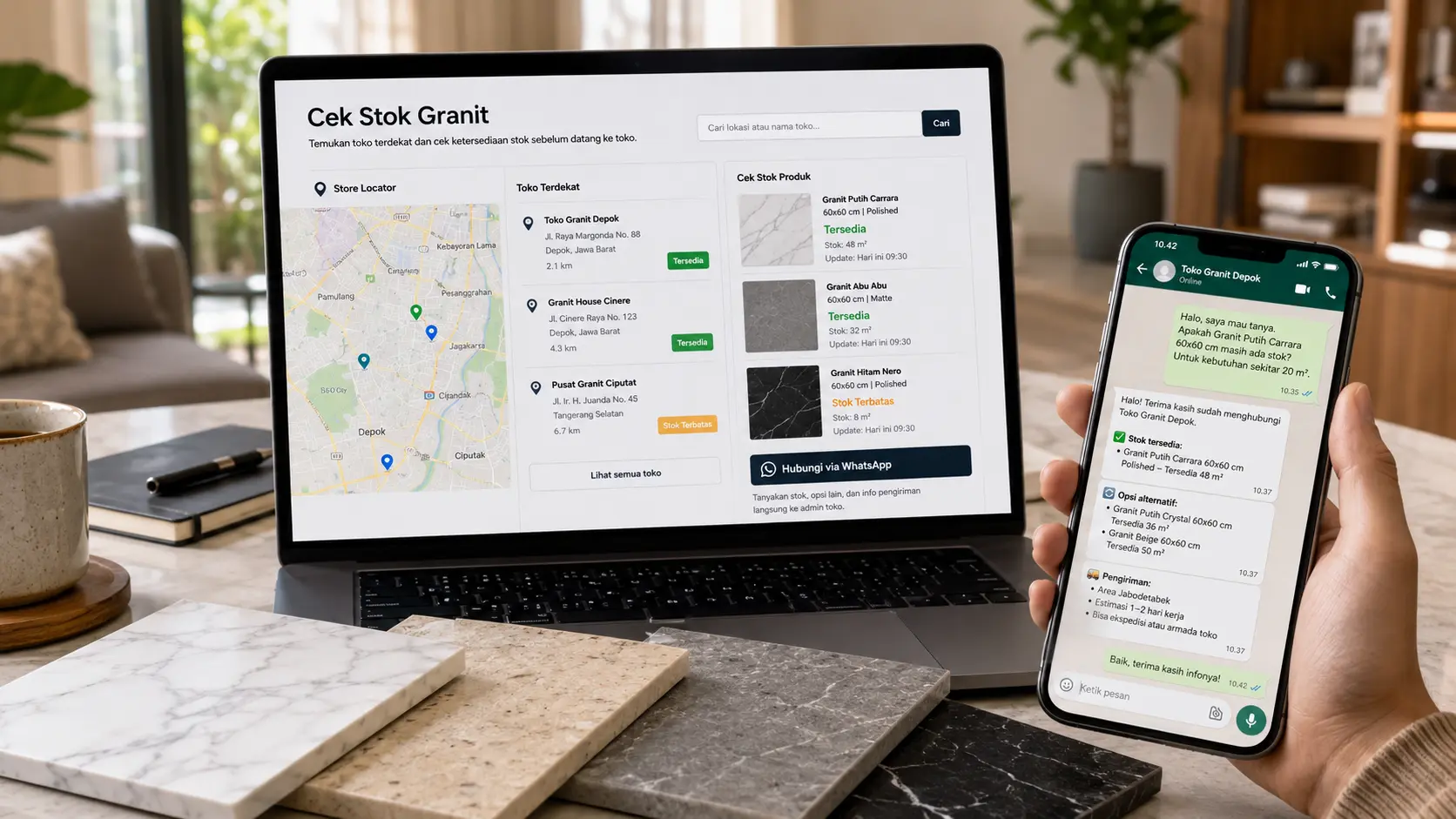
Today, you can check granite stock first without having to visit in person. With the help of the Store Locator, finding and contacting a store becomes more practical, allowing you to confirm your needs before making a purchase.
Why Should You Check Granite Stock Before Visiting?
Every project has different needs, so confirming product availability is an important step before buying.
Some benefits of checking stock first include:
- Avoiding visits to stores when the product is not available
- Saving time during the search process
- Helping determine alternative products more quickly
- Making the purchase and delivery process easier
With the information gathered beforehand, you can make decisions more efficiently.
How to Check Granite Stock Without Visiting the Store
Here are the steps you can take to confirm product availability before visiting.
1. Open the Website and Use the Store Locator
Go to the official MAGIA website, then open the Store Locator or Purchase Location menu.
This feature helps you find stores based on your desired location or area.
2. Search for Stores by Area
Use the Nearby Location feature or enter a city name to find the most relevant store.
You can search based on areas such as:
- Solo
- Semarang
- Bandung
- Other available areas
3. Choose a Store and View Contact Information
After finding a suitable store, open the details to view:
- Store location
- Contact number
- Store information on the map
This step helps you connect directly with the store before making a visit.
4. Contact the Store via WhatsApp
Before visiting, use WhatsApp to ask for the information you need.
Some questions you can ask include:
- Is the product I am looking for available?
- Is the stock still available?
- Are there other product options available?
- Can the product be delivered?
- What is the purchase process?
This way, you can get confirmation first.
5. Continue the Purchase or Arrange a Visit
If the product is available and matches your needs, you can continue the purchase or arrange a visit to the store.
In certain situations, initial communication with the store can also help speed up the transaction process because your needs have already been confirmed beforehand.
Information to Prepare When Asking About Stock
To make the checking process faster, prepare the following information:
- Product name or reference
- Estimated quantity needed
- Delivery area, if required
- Questions related to purchase
More complete information will help the store provide more suitable recommendations.
Use the Store Locator to Buy Granite More Practically
Find MAGIA granite stores more easily through the Store Locator. Search for the nearest store by area, contact them directly via WhatsApp, check product availability, then continue the purchase or arrange a visit according to your needs. Available for searches in Bandung, Solo, Semarang, and other areas.
Checking granite stock no longer has to be done by visiting the store directly. With these steps, the process of choosing and buying granite becomes more practical and efficient.
FAQ
1. How do I check granite stock without visiting the store?
Use the Store Locator on the MAGIA website to find the nearest store, then contact the store via WhatsApp to ask about product availability.
2. Do I have to visit the store to check product stock?
No. You can contact the store first through the available contact information to confirm stock before visiting.
3. What information should I prepare when asking about granite stock?
It is best to prepare the product name, estimated quantity needed, and questions related to purchase or delivery so the checking process can be faster.
4. Can I ask about product delivery when checking stock?
Yes. You can ask whether the product is available for delivery and what delivery options are offered by the store.
5. Is the Store Locator only for viewing store addresses?
No. The Store Locator also helps you find the nearest store, view store contact information, and contact the store before buying.
6. After the stock is available, what is the next step?
You can continue the purchase or arrange a visit to the store according to your needs.
Popular Collections






Related Articles

Tips
Tips for Choosing Large-Format Granite to Make a Room Look More Spacious
19 Jun 2026

Tips
Creating a Victorian-Style Ambience with Granite: Classic and Elegant Touches for Your Home
31 Dec 2024

Tips
13 Advantages of Granite Over Other Materials, Must Know!
11 Sep 2024